
Text tools
Remove Line Breaks Online
Clean pasted text by removing line breaks, preserving paragraphs, or replacing breaks with spaces.
- No signup
- Browser-local
- Clean output
- Sample included
Privacy note
Your text is processed in your browser. This tool does not store pasted text on a server.
- Original characters
- 0
- Output characters
- 0
- Line breaks found
- 0
When to remove line breaks
Use this tool when text copied from PDFs, email clients, documents, web pages, or exported systems contains unwanted line wrapping. It is built for cleanup tasks where you want readable plain text without manually fixing each broken sentence.
The most common case is text that looks normal in a source file but pastes with a line break after every visual row. Cleaning those breaks makes the text easier to edit, search, translate, summarize, or paste into a CMS field.
Cleanup modes
Keep paragraph breaks
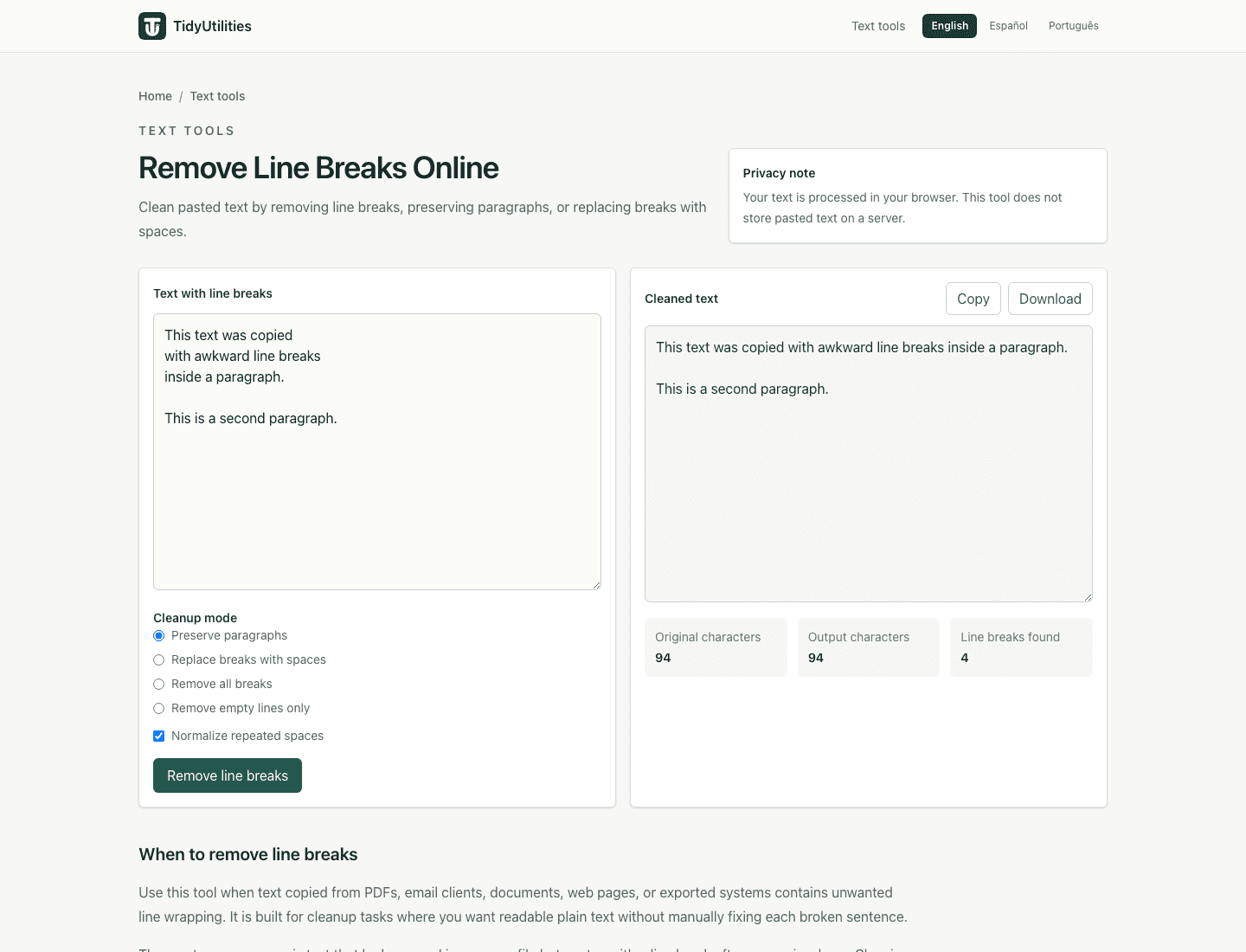
Best for copied PDF text, email drafts, notes, and articles where wrapped lines should become normal sentences while separate paragraphs stay separate.
Replace every break
Use this when you need a single continuous line for spreadsheet cells, form fields, metadata, prompts, or compact plain-text snippets.
Trim extra spaces
Removes repeated spaces created during cleanup so pasted text is easier to read and less likely to break downstream tools.
Preview before copying
The output updates in the browser as you edit. Review punctuation and intentional breaks before using the cleaned version.
How to get a clean result
- Paste the copied text into the input box.
- Keep paragraph breaks if the text has meaningful blank lines between sections.
- Replace all line breaks when the final output must be one line.
- Scan the preview for hyphenated words, repeated headers, or document footers that came from the original source.
- Copy the cleaned text only after the preview matches your goal.
Privacy and limitations
Text cleanup runs locally in your browser in the current version. The tool does not need an account, file upload, or server-side processing for normal use.
Line-break cleanup cannot reliably detect every source-document artifact. PDF headers, page numbers, footers, table columns, and manually hyphenated words may still require a final human check.
Frequently asked questions
Does this tool remove paragraph breaks?
The default cleanup mode joins wrapped lines while preserving blank-line paragraph breaks. You can switch modes if you want every line break replaced.
Is my text uploaded to a server?
No. The current version processes text in your browser. Avoid pasting confidential data into any online tool unless your organization allows it.
Why does copied PDF text still need review?
PDFs often contain hyphenation, broken words, page headers, and footers. This tool fixes line breaks, but you should still review the output for document-specific artifacts.
Can I use it for spreadsheet cells and forms?
Yes. Replacing line breaks with spaces can make pasted text fit into spreadsheet cells, CMS fields, forms, and plain-text databases more reliably.
Last updated: May 7, 2026
See the tool in action
How this page is maintained
This tool page is maintained for practical accuracy, clear limitations, browser-based processing behavior, and links to related cleanup tasks. It is intended for everyday text cleanup, not for legal, medical, financial, security, or other high-stakes decisions.
Browser-local processing
The current tool runs in the browser and does not require an account, upload, or server-side text processing for normal use.
Reviewed behavior
Examples, options, and limitations are checked against the actual tool behavior before public pages are added to the site.
Human review still matters
Text cleanup can miss source-specific issues such as broken words, malformed data, or copied table artifacts, so review important output before reuse.
Safe use checklist
- Use sample or non-sensitive text when testing a workflow.
- Check the output preview before copying it into another system.
- Keep confidential, regulated, or customer data inside approved tools.
- Use related tools only when they match the same cleanup task, not to force unrelated edits.
Related tools
Convert text to one line
OpenConvert multi-line text into one line or make a quick one-liner using spaces, commas, or no separator.
Remove empty lines
OpenRemove blank lines from pasted text, lists, and exported rows directly in your browser.
Trim whitespace from lines
OpenTrim leading and trailing spaces from every line, with optional internal space cleanup.